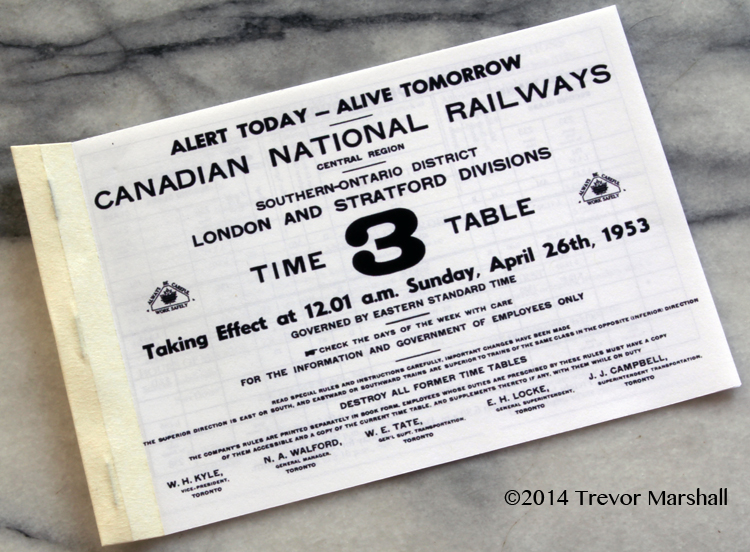
Replicating prototype operations on a layout requires prototype paperwork. For my previous model railway (Port Rowan in 1:64) I developed an Employee Time Table. This became a useful document and a nice giveaway for guest operators – especially those from out of town, who might only experience the layout once.
An Employee Time Table is more than a schedule of trains, although it certainly is that. It also include notes to help get those trains over the line, information that a crew must know in order to move safely over the line, and special instructions specific to the line(s) described.
Things found in an Employee Time Table may include: Rules about where whistling is prohibited (many towns had noise ordinance laws); speed restrictions due to track condition or limited visibility; the location of water and coal facilities; the hours during which stations have on-duty operators and which locations have train registers; the extent of Yard Limits; information on car handling; and more.
A lot of this information is not needed for a model railway, even one attempting to closely replicate a prototype. For example, no visiting operator should need a list of company surgeons, with phone numbers (although it’s nice to know that back in the early 1950s, Dr. D.A. Archibald – Phone 74R2 – looked after the line from Port Rowan to the west switch at Vittoria). And the multi-page Fair Weather Equated Tonnage Ratings table plus calculation examples could make anybody abandon prototype operations in favour of Brio (or Barolo). But there is some useful information that helps answer questions on a layout – and make the operations game more interesting and realistic.
Similarly, there’s information that guest operators need to know about a layout that would never be found on the real thing. For example, the function map for DCC throttles (e.g.: Bell is F1, Long Whistle is F2, Water Fill is F5). Then, there’s information that is useful for both the prototype and the layout – but that must be modified to fit layout circumstances.
My Port Rowan layout represented a portion of the Simcoe Subdivision. This started in Port Dover, ran northwest to Simcoe, then continued southwest to Port Rowan. To create an employee time table, I started with a prototype example – Time Table 3, effective April 26, 1953. From this (and other resources) I created a six-page booklet. This is much more manageable than the 39-page prototype document. I reduced the size to approximately 5″x8″ so it would be easy for operators to carry: They can clip it to a clipboard or even fold it in half to stick in a pocket.
I used a scan of the prototype time table’s cover to create the cover on my version, which is shown in the lead photo for this post. For the back of my time table, I created a map showing the lines that trains would traverse on their trips between Hamilton and the two Ports – including the Simcoe Sub, the Hagersville Sub, and a short portion of the Cayuga Sub between them:
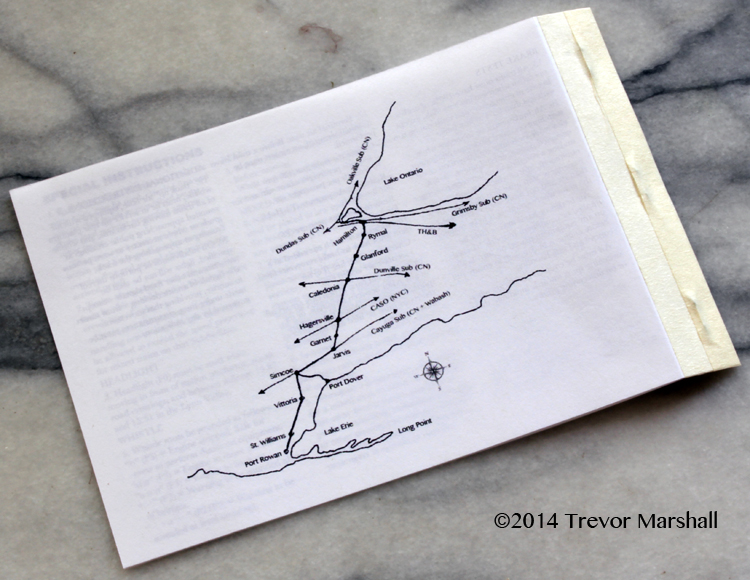
Since I only modelled the two stations way down in the lower left of the map, this map helped put the layout into context for my visiting operators.
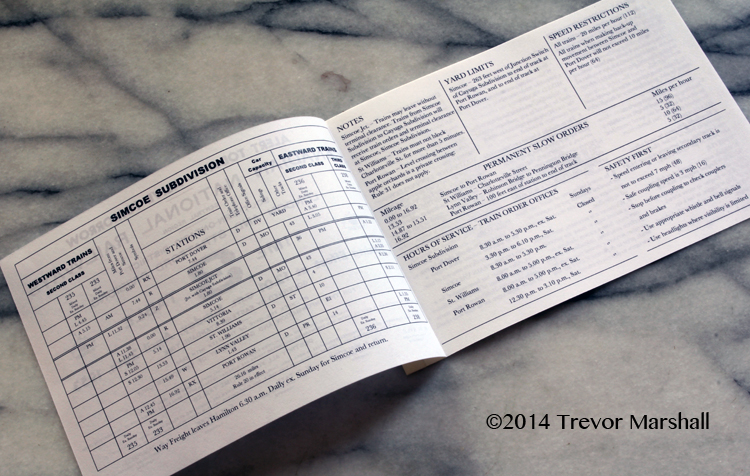
Inside, I re-created the schedule of trains using the table function in MS Word – making adjustments from the prototype as required. For example, when designing my layout I moved the Lynn Valley from the Port Dover end of the subdivision to the Port Rowan end. So when designing the schedule, I moved the Lynn Valley water tank to match. I also ensured the mileage figures in the schedule matched the milages given on labels on the layout’s fascia.
The schedule and notes about it faced each other on pages 2 and 3. Key info included the description of Yard Limits, Speed Restrictions, Permanent Slow Orders and so on. Speeds were given in miles per hour, with DCC throttle Speed Step settings in brackets: This is a good example of how this document helped visiting operators understand layout operations.
Special instructions were provided on pages 4 and 5. These were a mix of prototype instructions (e.g.: a description of Rule 93 governing operation within Yard Limits) and layout instructions (e.g.: “Class 80 engines must stop for water at the Lynn Valley tank in both directions. Class 1500 engines must stop for water on the westbound trip.”)
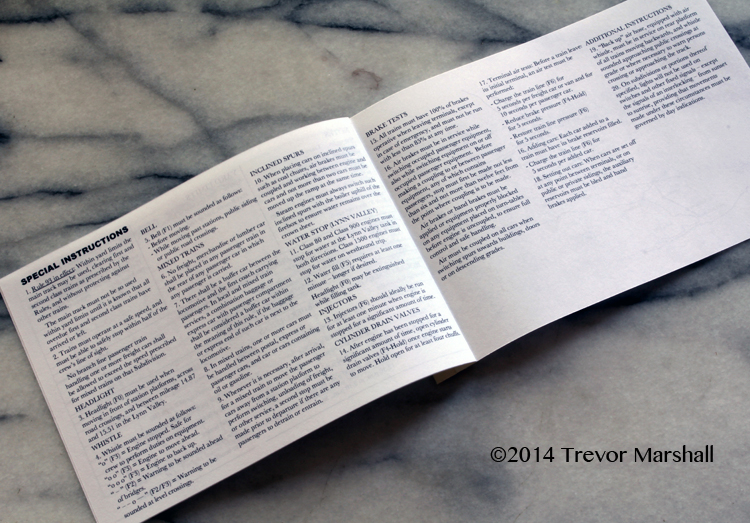
While it looks like a lot of information, most of it is stuff operators already know. In any case, I was always around to answer questions. But having it in booklet form was a handy reference for those just learning the ropes – and turned out to be a nice takeaway for visitors.
As the images show, I finished the book by stapling the pages, then covering the staples with a couple of layers of masking tape to suggest a cloth-tape binding and protect fingers from sharp staple points.
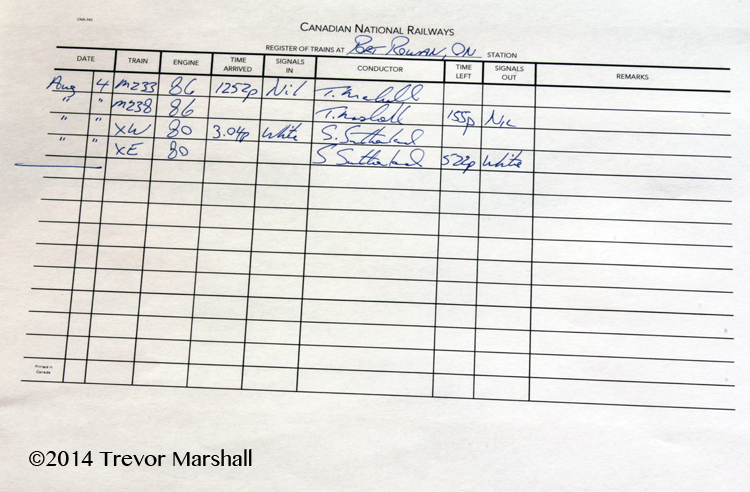
Along with the Employee Time Table, I also created a Register of Trains. These recorded the arrival and departure of trains at key points on a railway such as a terminal or junction. The presence of a register is indicated by an “R” on the schedule of trains in an Employee Time Table. On the Simcoe Subdivision, registers were located at Port Dover, Simcoe, and Port Rowan. On my layout, I definitely needed a register at Port Rowan.
Why was a register needed? Well – let’s say you’re running a freight extra. You’ve worked your way to Port Rowan and now you’re ready to head back. It’s 1:15 pm: Are you clear to go?
That depends. According to the schedule of trains, the mixed train – M233 – is to arrive at 12:45 pm and its return counterpart – M238 – will not leave until 1:55 pm. So according to the schedule, the answer is, “Yes”. But what if M233 is running late? A train schedule is in effect for 12 hours after the times listed – so in theory, M233 could still be on the line.
The Register of Trains solves this dilemma: When M233 arrives, the conductor will enter that fact into the register. As conductor of the freight extra you can check the register to determine whether it’s off the line.
I hoped that at some point I would have a register book printed and bound for Port Rowan. (I never did.) But as a stopgap, I created a Register of Trains in sheet format, which I kept on the work desk at Port Rowan.
I based my register on some photographs of a prototype example provided to me by Jeffrey Smith. (Thanks, Jeffrey!) From these, I built a suitable blank using the table function in MS Word.
My register included columns for: the date; the train identification (a number from the schedule such as “M233” or “XE” or “XW” for extras east and west); the engine number; time arrived and signals displayed (“Nil”, “White” or “Green” – denoting regular, extra, or sections); the conductor’s signature; time left and signals displayed; and any remarks.
Registers could be quite large books with ledger-sized (11″ x 17″) pages. I opted for the more manageable letter size of 8.5″ x 11″:
My Employee Time Table and Register of Trains helped add to the game of getting the trains over the line. I’ll create these types of documents again for future layouts.
(This is an update of a 2014 post from my previous blog about Port Rowan.)

